
Our products.
Software we build, use and keep improving through the everyday work of running TIN.
CCP.
The Content Creation Platform.
TIN-owned · Internal platform and productResearch what a website needs. Turn that direction into drafts. Manage the editorial work and follow what happens after publication. CCP brings those jobs into a connected content operation.
Talk to us about CCP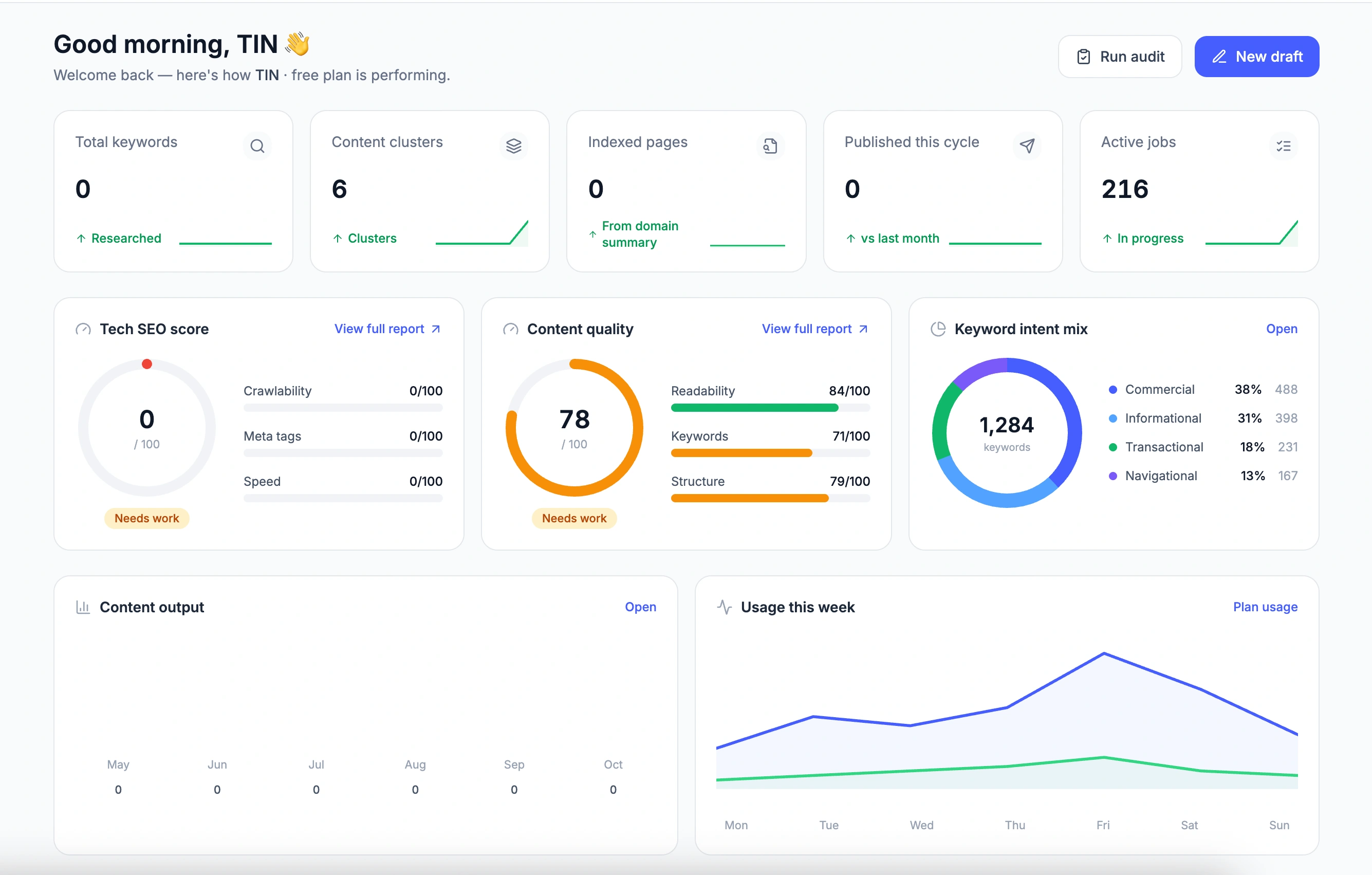
A real CCP dashboard supplied by the TIN team. Figures show the workspace at the time of capture, rather than claimed customer results.
The work around the writing.
A content operation starts before the first draft and continues after an article goes live. Someone has to decide which topics matter, understand what already exists, organize the work and review what is ready to publish.
We built CCP around that wider process. Its workspace connects the planning, creation and oversight of content, so a draft can be understood in the context of the website it belongs to.
Start with the website you have.
Content Strategist begins with a website and a goal. Choose the depth of the crawl, the language and the market, then examine the site’s pages, structure and content gaps. Recommendations provide a starting point for deciding what to improve or create next; external keyword data depends on the connected provider.
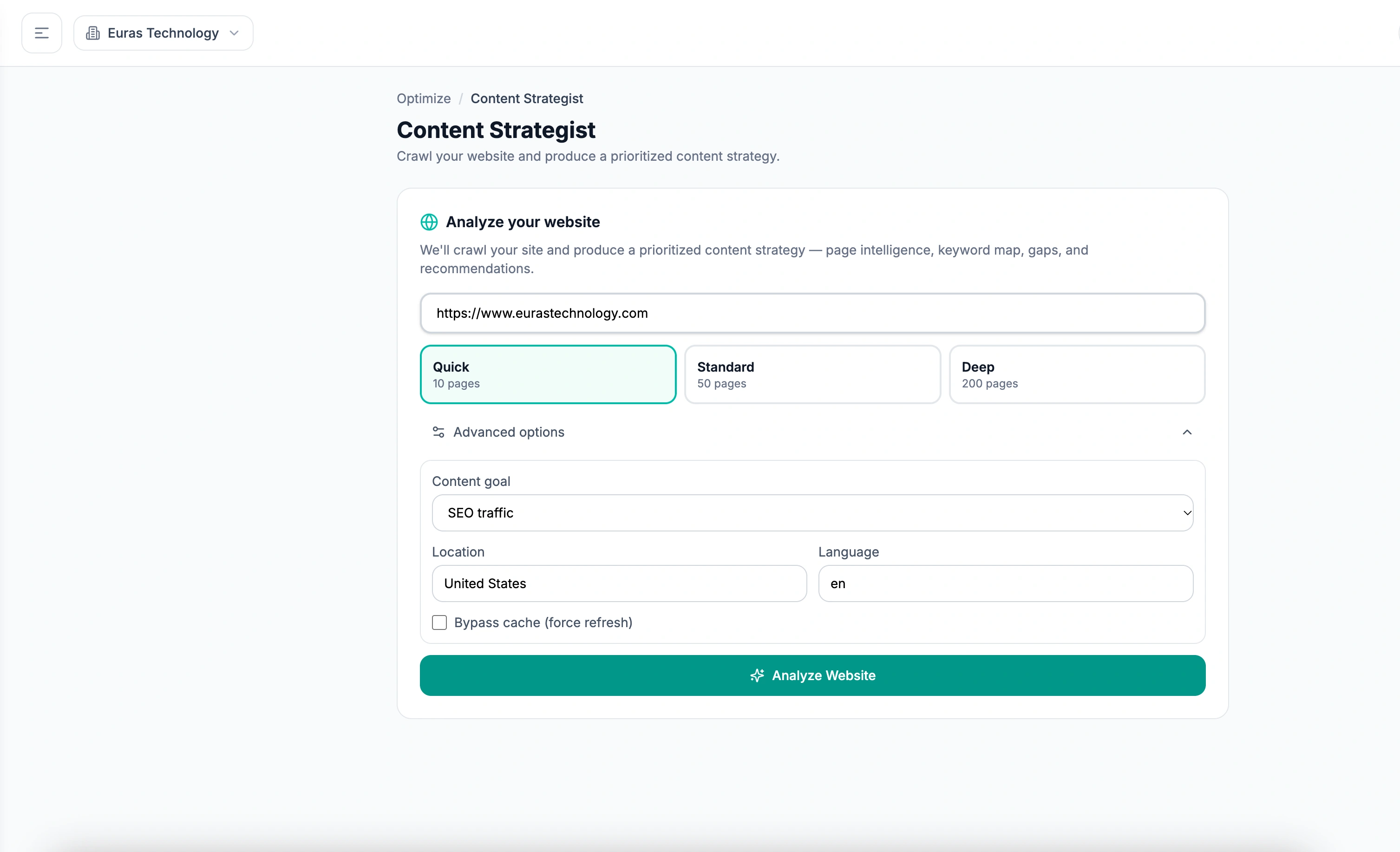
Set the website, the depth of analysis and the content goal before starting the strategy workflow.
Give every draft a place to go.
Blog Writer brings AI-assisted creation into an editorial workspace. Start from keyword research, a saved keyword or a topic cluster; add the audience and format; then keep drafts, queued work and approvals organized. The team can see what is in progress without piecing together separate documents.
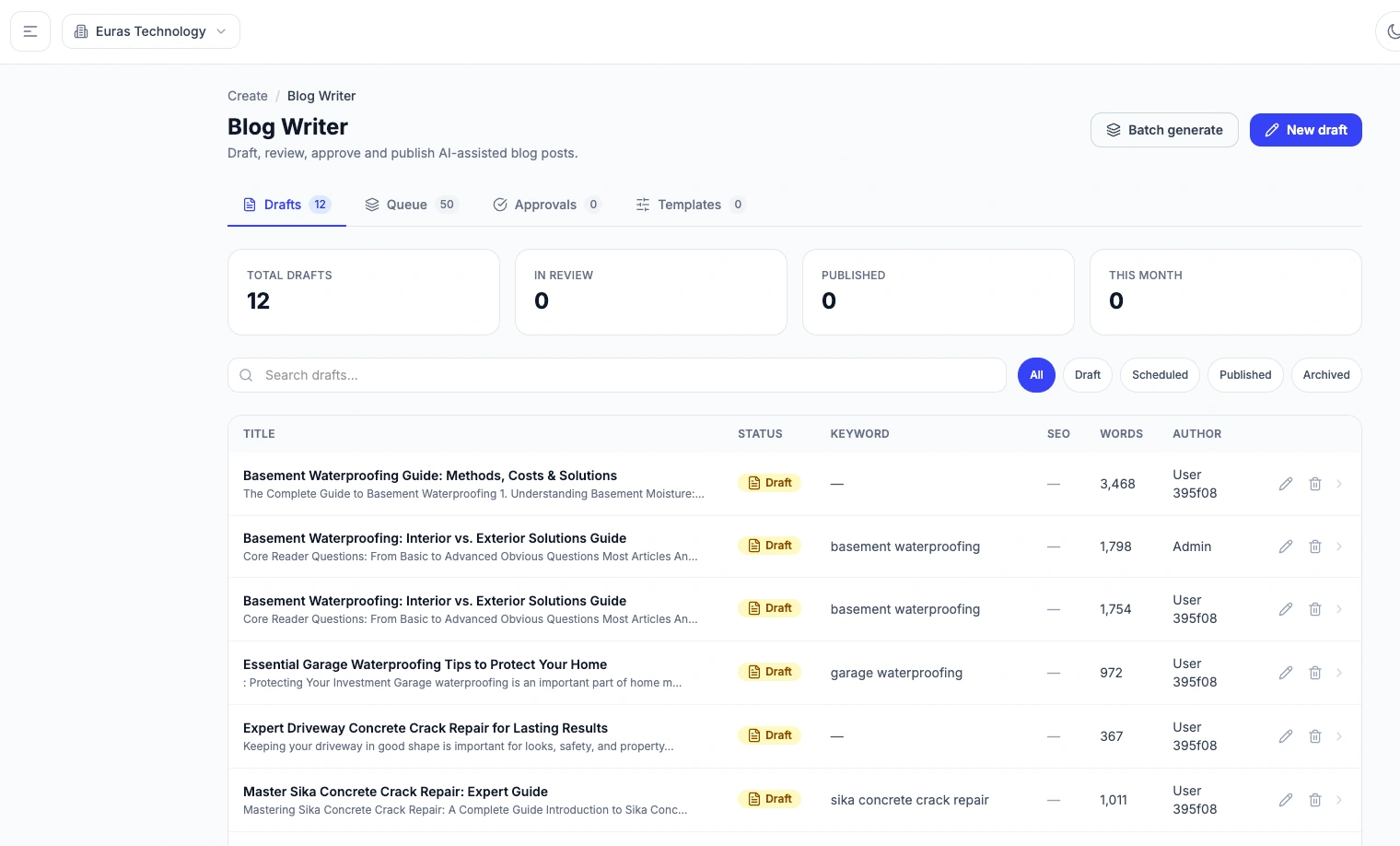
Drafts, the queue and approvals share one workspace, with each article’s status visible alongside its topic.
See how a new draft starts
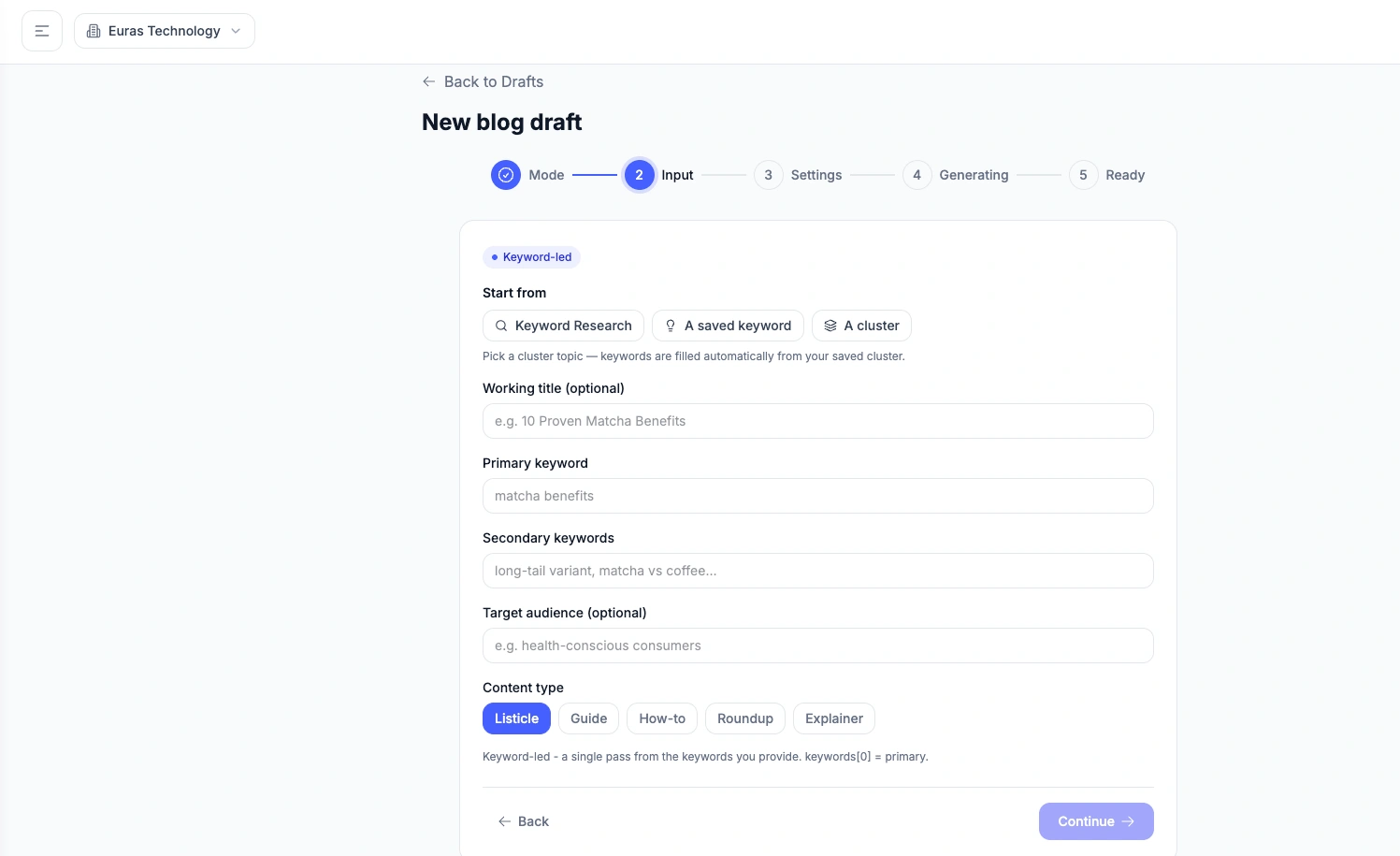
A keyword-led draft can start from research, a saved keyword or a topic cluster, with audience and format defined before generation.
Publication belongs in the workflow.
CCP’s product scope connects the editorial queue to publishing destinations and brings content and search information back into the workspace. A published article remains part of the operation, with a place for review and further work.
We use the platform internally while continuing its development as a product. Publishing connections and search data depend on the services configured for the workspace.
A product we keep working on.
Using CCP ourselves makes the everyday details tangible: finding the right draft, following a background job, understanding a recommendation and knowing what needs a person’s attention. Those are the details that shape its next iteration.
Discuss CCP with the teamMore on the workbench.
Botski, PawPointers, Notarized and the Lifescape rebuild have their own development stories. Explore them alongside our other platform projects, with the stage of each build clearly shown.
Explore platform projectsBuilding a product of your own?
Let’s talk about the users, the business model and the software that needs to connect them.
Discuss your platform